← Back to community index
# support·Active

Vivek Vijayan - Is it possible to expose ports/...

Is it possible to expose ports/pins from <subcircuit ?

Started by Vivek VijayanJul 12, 202620 messages

Discussion

Last active 2 hours ago · plain text
Vivek Vijayanoriginal post
Is it possible to expose ports/pins from <subcircuit> ?
Vivek Vijayan
I'm looking for something like this ``` export const power_circuit = () => { return ( <board name="main-power-circuit" routingDisabled={true}> <subcircuit name="monitor-module" schX={0}> <BmsMonitorModule /> </subcircuit> <subcircuit name="communication-bridge-module" schX={0} schY={-30}> <CommunicationBridge/> </subcircuit> <pinheader name="J_IN" pinCount={2} schX={0} schY={0} /> <trace name="t_input1" path={["monitor-module.pin1", "J_IN.pin1"]} /> <trace name="t_output" path={["communication-bridge-module.pin1", "J_IN.pin2"]} /> </board> ); }; ```
shibo
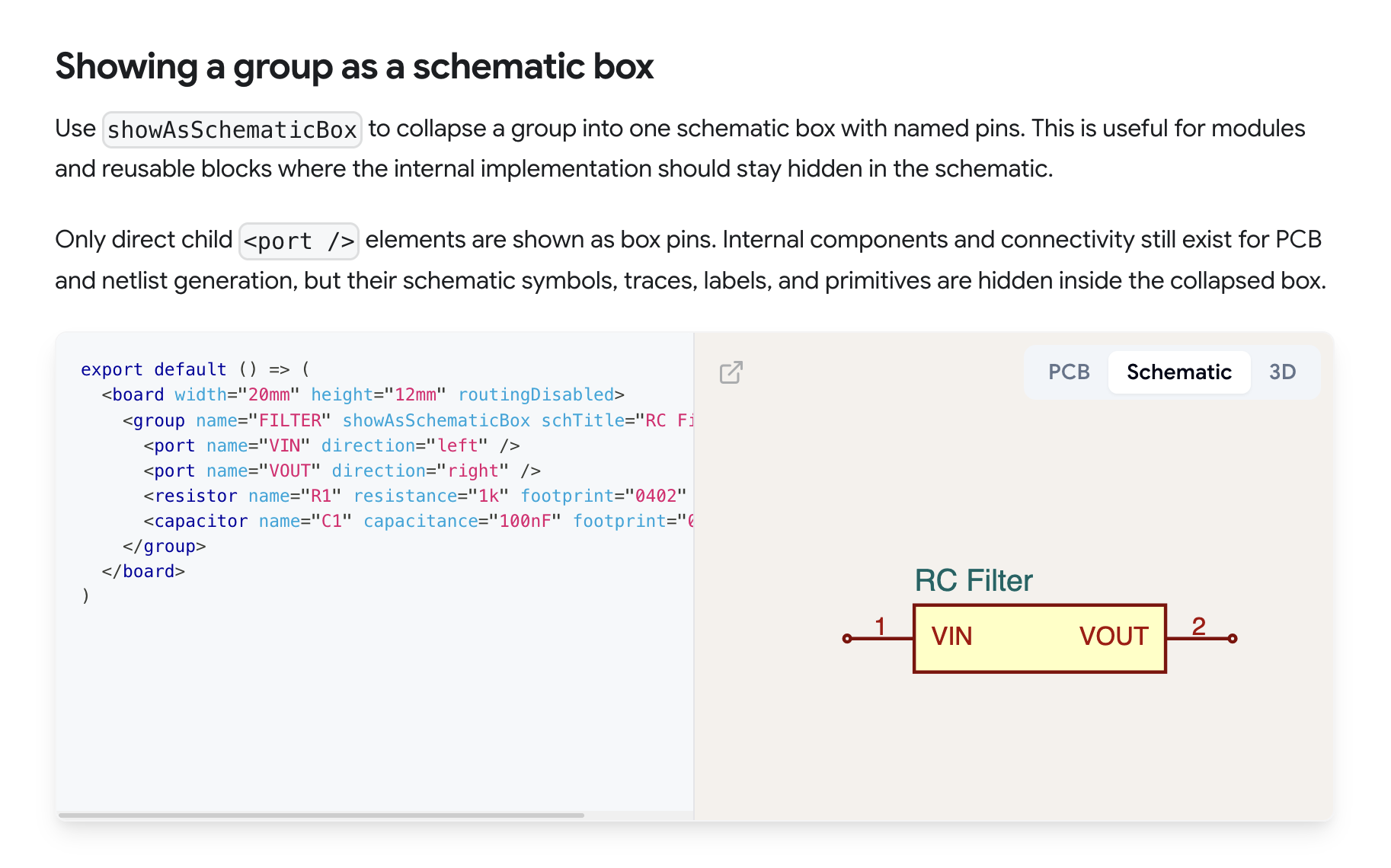
https://docs.tscircuit.com/elements/group I believe you could use the <port /> component, it's documented for groups but I believe it should work for subcircuits too
Vivek Vijayan
let me try..
Vivek Vijayan
yes.. this is working for <subcircuit> as well.. thanks <@778624824875941908>
shibo
awesome, we'll be sure to document it under <subcircuit /> to avoid future confusion
Seve
you can also use `exposedNets` for subcircuits, or just write selectors that include the subcircuit e.g. `to=".MySubcircuitName .U1 .pin1"`, but shibo's suggestion is good!!!
Vivek Vijayan
first I thought about this `to=".subcircuit .u1 .pin1` approach. But the port based isolation feels more intuitive and clean..
Seve
i agree!
Vivek Vijayan
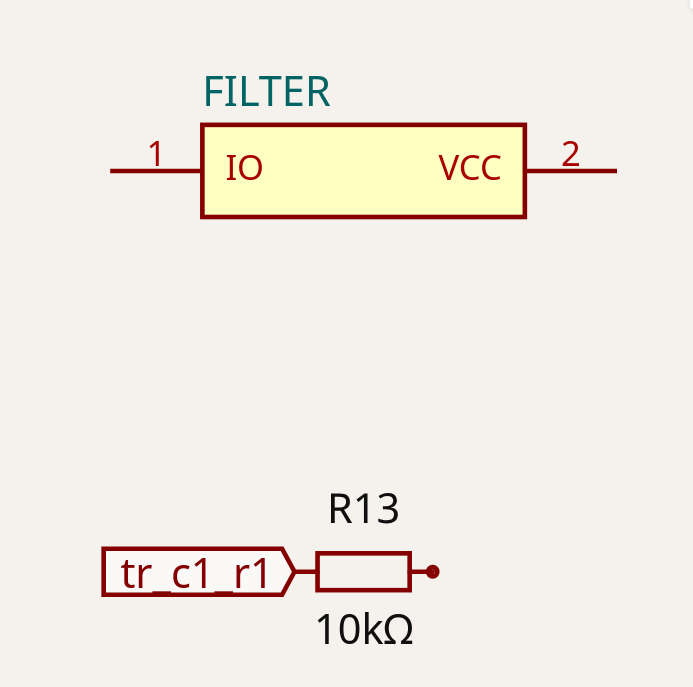
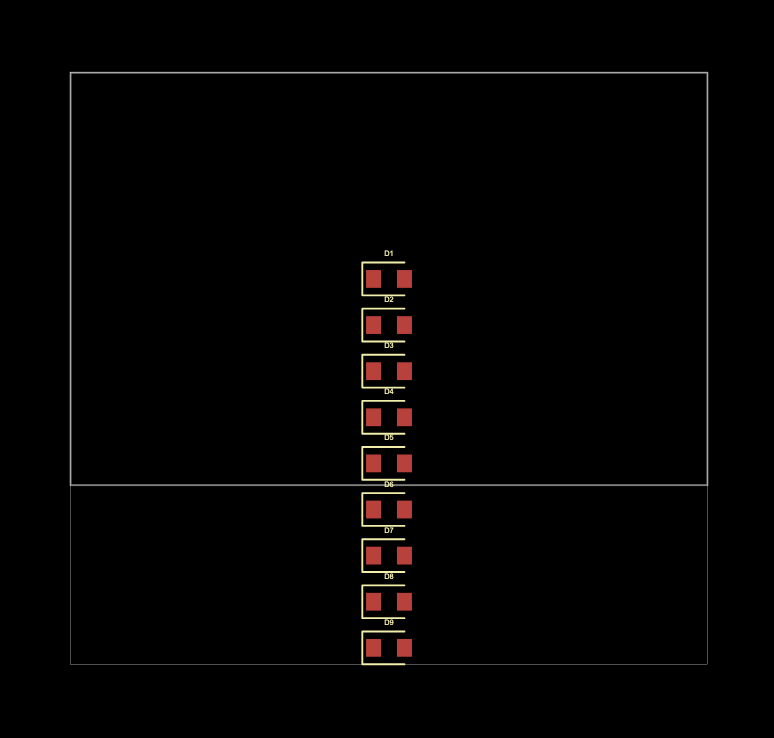
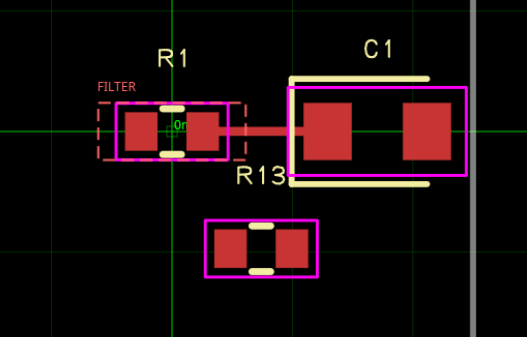
``` interface ModuleProps { name?: string } export const RCfilter = ({name}: ModuleProps) => {return ( <subcircuit name="FILTER" showAsSchematicBox connections={{ IO: "R1.pin1", VCC: "C1.pin2", }} > <port name="IO" direction="left" /> <port name="VCC" direction="right" /> <resistor name="R1" resistance="10k" footprint="0402" /> <capacitor name="C1" capacitance="10uF" footprint="0603"/> <trace name="tr_c1_r1" from="R1.pin2" to="C1.pin1" /> </subcircuit> ); }; export default () => ( <board width="10mm" height="10mm"> <RCfilter name="rc"/> <resistor name="R13" resistance="10k" footprint="0402" /> <trace name="tr_c1_r1" from="FILTER.IO" to="R13.pin1" /> </board> ) ``` What is wrong in this code? I'm getting following errors: ``` pcb_trace_missing_error:Trace [.FILTER > .IO to R1.pin1] is not connected (it has no PCB trace) @tscircuit/eval@0.0.996 • @tscircuit/core@0.0.1425 pcb_trace_missing_error:Trace [.FILTER > .VCC to C1.pin2] is not connected (it has no PCB trace) @tscircuit/eval@0.0.996 • @tscircuit/core@0.0.1425 pcb_trace_missing_error:Trace [FILTER.IO to R13.pin1] is not connected (it has no PCB trace) @tscircuit/eval@0.0.996 • @tscircuit/core@0.0.1425 ``` Also rendered PCB and schematic are wrong.
Seve
Hmn this seems like a legit bug to me at a glance
Vivek Vijayan
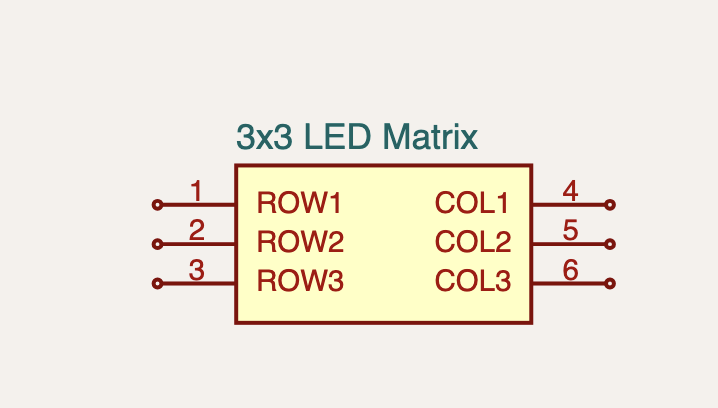
Also, I've one more doubt. https://docs.tscircuit.com/elements/group#example-led-matrix-module This section explains how to setup led matrix module. But nothing is specified about the internal circuit, how each LED is connected inside and how led ports are connected to module ports. Specifically I'm interested in the method to connect the internal component pins with the module ports.
Vivek Vijayan
Any suggestions or workarounds for this? I'm stuck in this..
shibo
that section is incomplete, as you can see the pcb is not connected, it's just showcasing how to expose pins on the schematic box
shibo
can you try something like this: ``` <group name="MATRIX" showAsSchematicBox> <port name="ROW1" direction="left" connectsTo={["D1.pin1", "D2.pin1", "D3.pin1"]} /> <port name="COL1" direction="right" connectsTo={["D1.pin2", "D4.pin2", "D7.pin2"]} /> <led name="D1" color="red" footprint="0603" /> {/* remaining LEDs */} </group> ```
shibo
you basically just connect the port internally
shibo
we'll get a doc on this asap
shibo
<@1050759023194030111> did this work? I did some more interal testing and it seems to work
shibo
going to document it now
Vivek Vijayan
<@778624824875941908> yes It worked... Thanks..

Want to add to the conversation?

Reply in Discord so your notes stay connected to the source.
Continue in Discord ↗